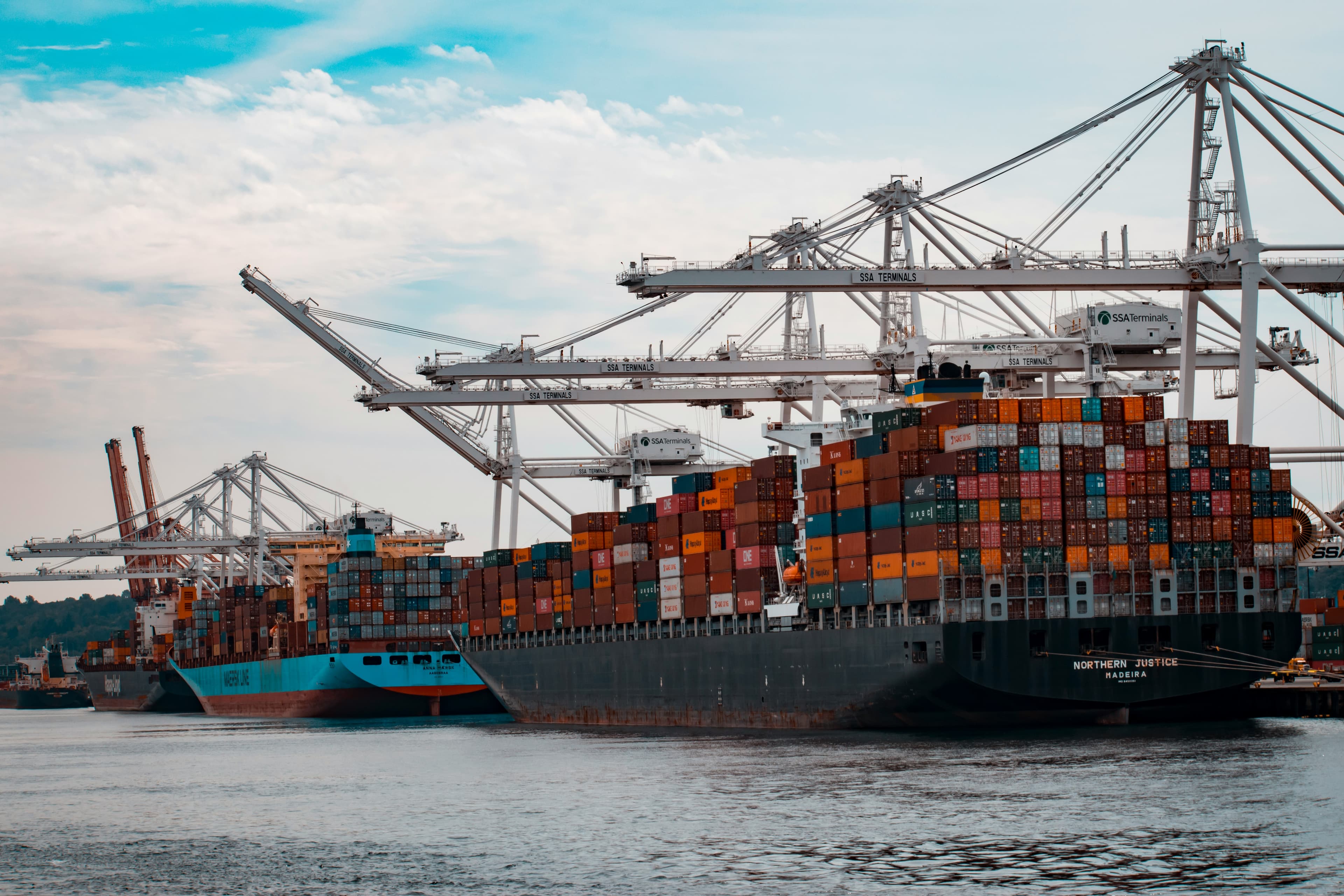
Stop losing money to demurrage.
TerminalFlow gives freight forwarders a single operational view of import containers — so teams can see current status, identify priority actions, and understand cost exposure.
Demurrage is avoidable
Clarity on status and priority.
View container status across your operation, identify which items require action, and understand where delays and charges are emerging — before invoices arrive.
The operational problem
No operational prioritisation
No clear distinction between what needs action today and what can wait.
Fragmented container visibility
Information scattered across spreadsheets, emails, and memory.
Reactive cost exposure
Charges discovered after the invoice arrives.
No accountability trail
No record of who changed what, when, or what was communicated.
What TerminalFlow gives you
Morning priority view
Start the day with a ranked view of what's overdue, what's at risk, and what can wait.
One source of truth
Lists work like spreadsheet tabs—without version confusion or duplicated files.
Cost exposure visibility
See projected cost before charges hit the invoice.
Team accountability
Every change is recorded with who did it and when.
Client update workflow
Generate a draft update, review, approve, and send—consistent every time.
Operational insights
Spot bottlenecks by port and workload trends across your operation.
See it in action
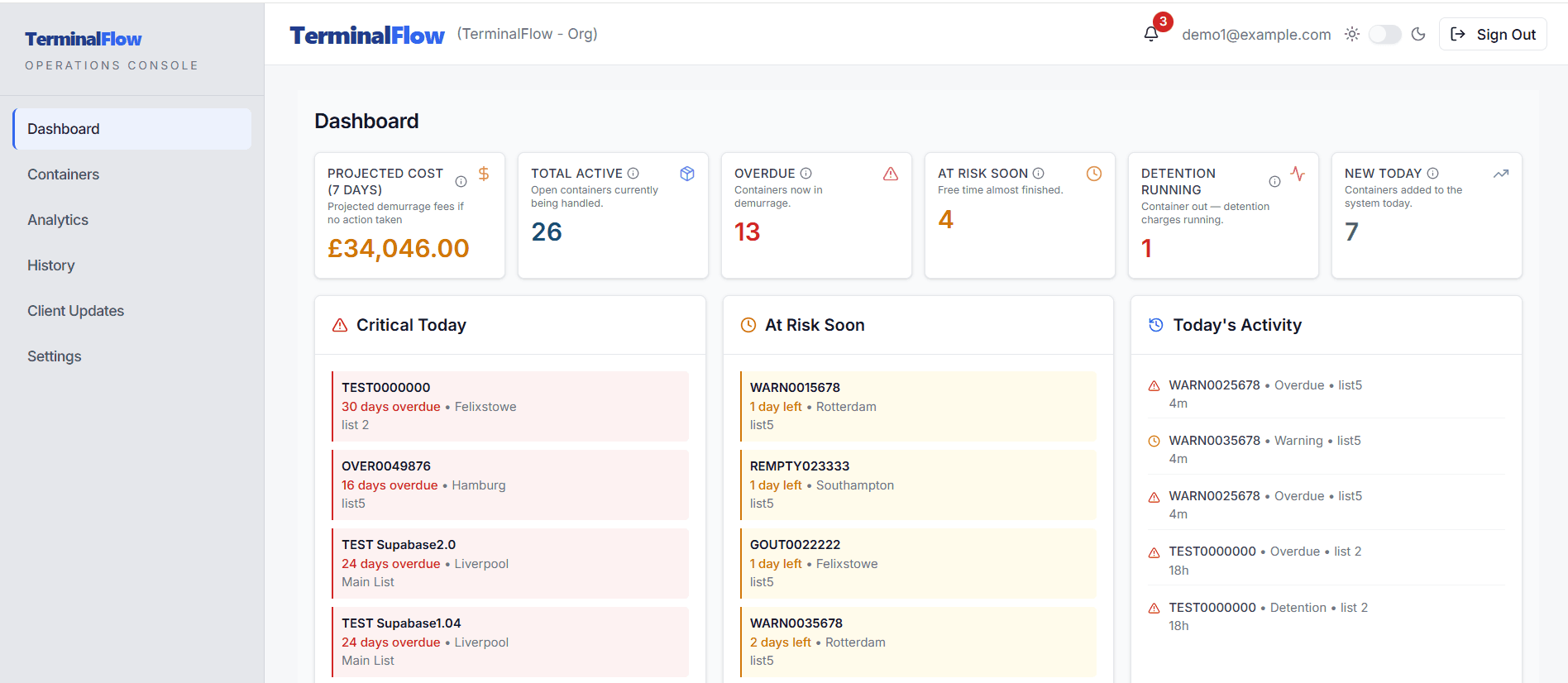
DASHBOARD
Morning priorities
- Overdue = costing money now
- At Risk = will become expensive soon
- Today's activity = what changed since yesterday
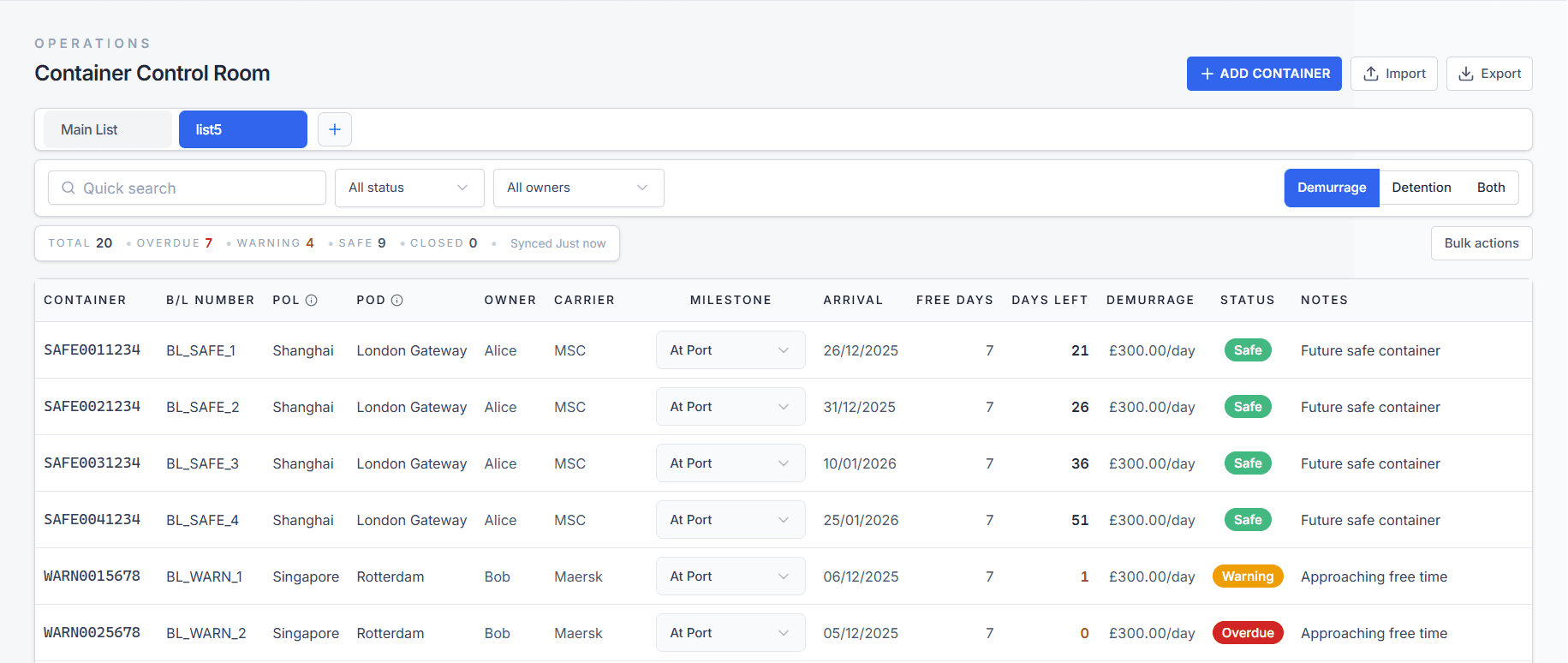
CONTAINER CONTROL
One source of truth
- Lists = client, lane, or team views
- Search = find any container instantly
- Status badges = Safe, Warning, or Overdue
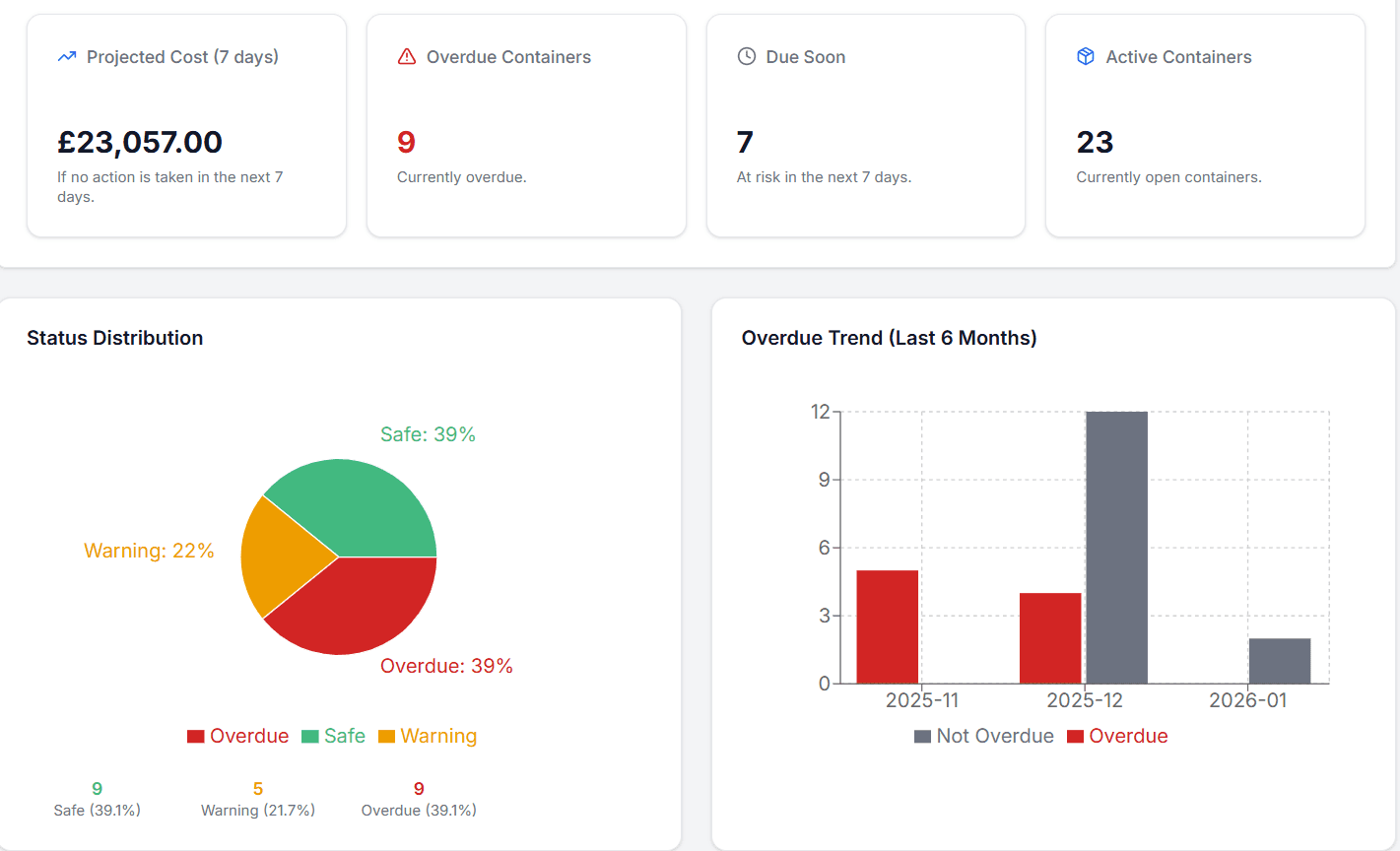
ANALYTICS
Cost of inaction
- 7-day projection = what you'll pay if nothing changes
- Financial impact = prioritise by cost, not volume
- Health breakdown = Safe / Warning / Overdue / Closed
ANALYTICS
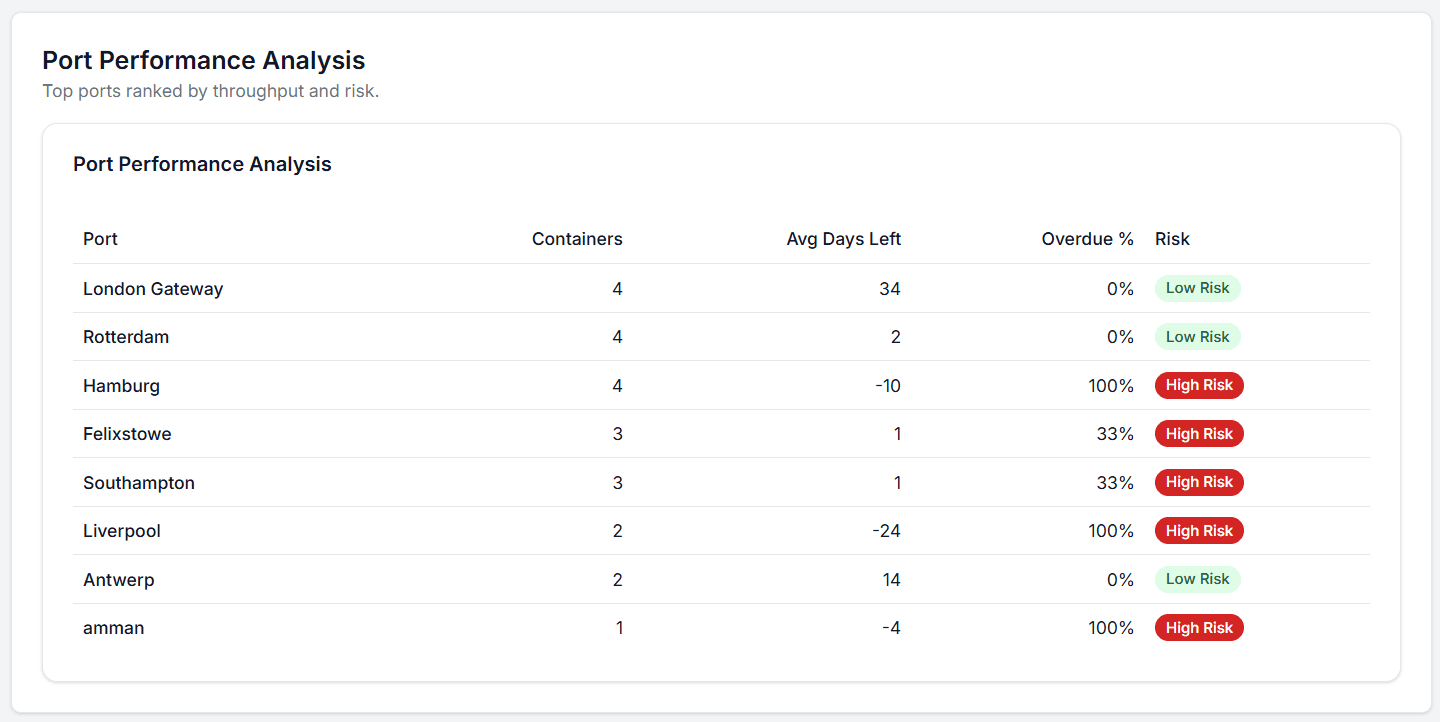
Port bottlenecks
- Port ranking = which ports have lowest average days left
- Container count = volume per port
- Pattern recognition = anticipate delays before they cost money
AUDIT & HISTORY
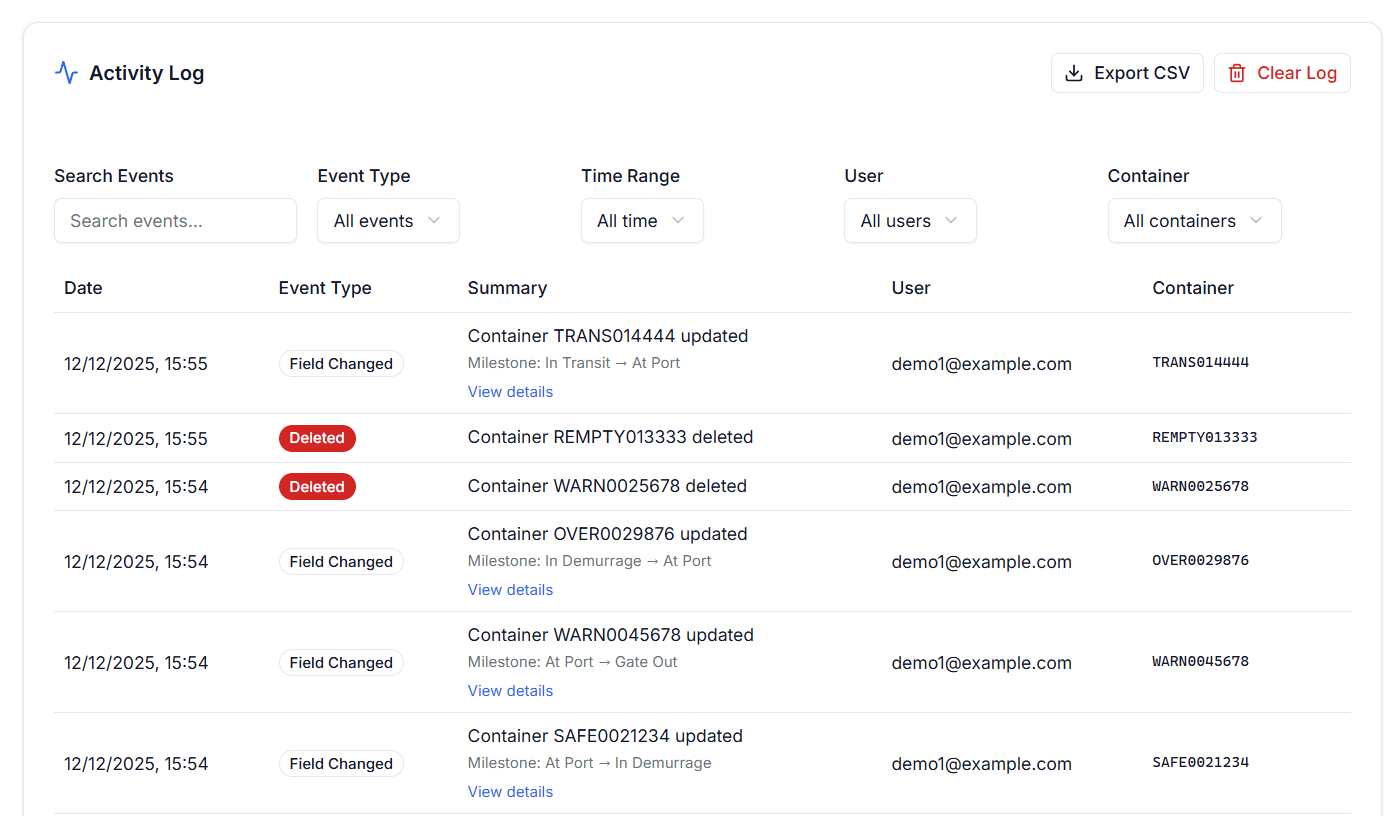
Accountability by default
- Change log = who changed what and when
- Investigation = resolve discrepancies with proof
- Team confidence = no "who changed this?" confusion
CLIENT COMMUNICATION
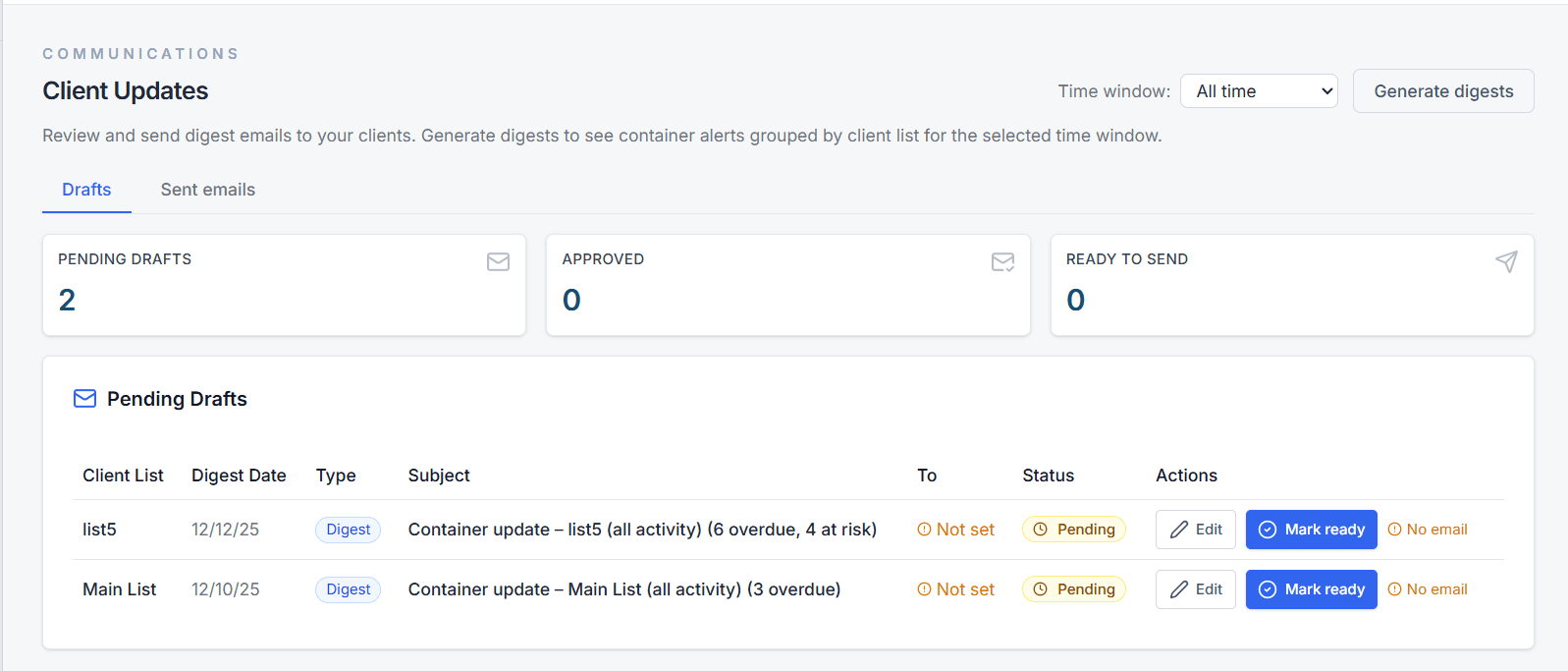
Standardised updates
- Draft generation = system creates update from container data
- Review & approve = no copy-paste from spreadsheets
- Send history = record of what was communicated to each client
What TerminalFlow replaces in daily operations
Multiple spreadsheets
One shared system with persistent organisation.
Scattered email threads
Standardised client updates with full history.
Manual prioritisation
Automatic ranking by urgency and cost impact.
Memory and guesswork
Complete audit trail with attribution.
No heavy setup
Import your existing spreadsheet and start immediately.
Designed for ops teams
Built for the daily workflow of freight forwarders.
Immediate visibility
See what matters from day one, no training required.
Ready to get out of spreadsheets?
Give your team a single live view of every container and stay ahead of demurrage fees.