Stop finding demurrage risk after it is already expensive.
TerminalFlow gives import teams a live operating layer for container priority, cost exposure, client communication, and AI-assisted port performance.
TerminalFlow Live
Morning control room
4
Overdue
8
At risk
31
Safe
7d
Projection
Client update ready
Drafted from live milestones
Priority lanes
Overdue
Import containers
At risk
Import containers
Clear
Import containers
Priorities reset every morning
Teams rebuild urgency from spreadsheets, emails, and memory before any container actually moves forward.
Charges surface after the damage
Demurrage risk appears when the invoice arrives instead of when the team still has time to act.
Status lives in too many places
Client updates, port notes, and internal ownership drift apart across disconnected tools.
Operating system
One calmer way to run the import desk.
TerminalFlow is not another spreadsheet. It is the layer that turns container records into risk, priority, ownership, and communication.
Priority command center
See overdue, at-risk, recently changed, and client-sensitive containers in one ranked view.
Spreadsheet-friendly intake
Bring in the data your team already uses, then keep it clean without file versions.
Cost exposure tracking
Project detention and demurrage risk before charges become unavoidable.
Client-ready updates
Generate consistent update drafts from live records and review them before sending.
Change history
Track who changed what, when it changed, and what was communicated.
AI port signals
Monitor dwell, delay patterns, and recurring bottlenecks across ports and lanes.
Workflow
From messy data to clear action.
01
Import container data
02
Rank risk by urgency
03
Review port signals
04
Send client updates
Port performance is monitored by AI.
TerminalFlow watches dwell time, congestion movement, and delay patterns across ports so risk is visible before it lands on the invoice.
FXT
Felixstowe
Dwell rising
SOU
Southampton
Congestion alert
LGP
London Gateway
Flow stable
Product views
Built around the daily flow of import operations.
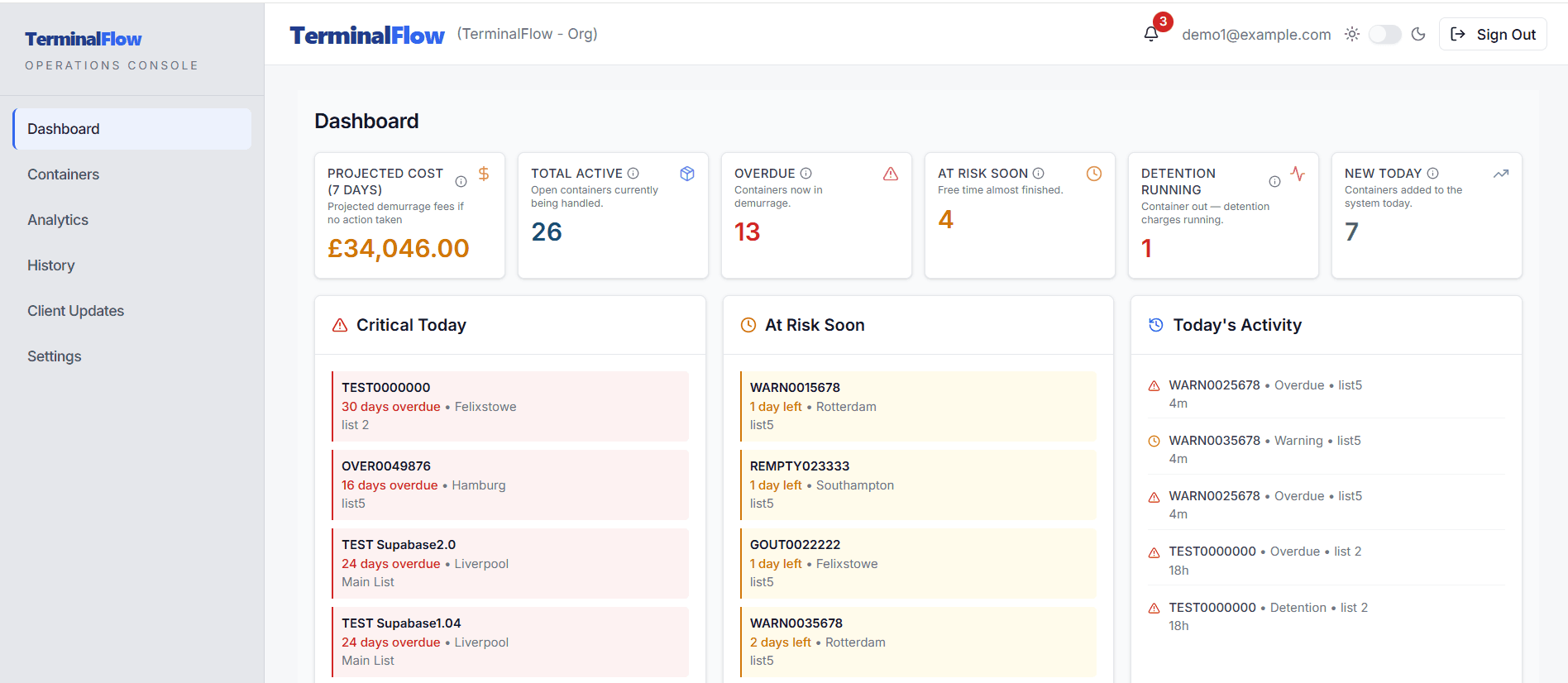
Dashboard
A morning view built around action.
The dashboard separates urgent exceptions from normal movement, so operators know where to start.
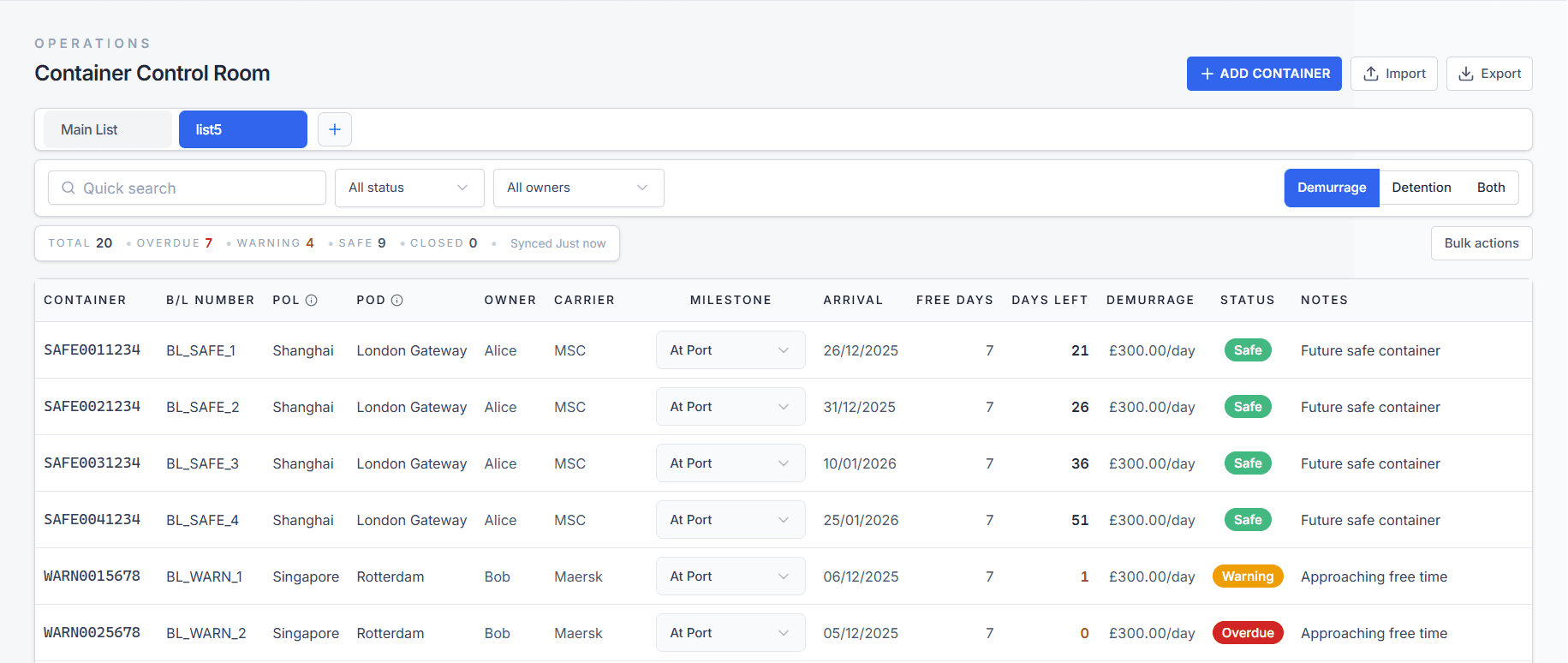
Containers
Operational records without spreadsheet drift.
Filter containers by client, lane, list, milestone, and risk while keeping one shared source of truth.
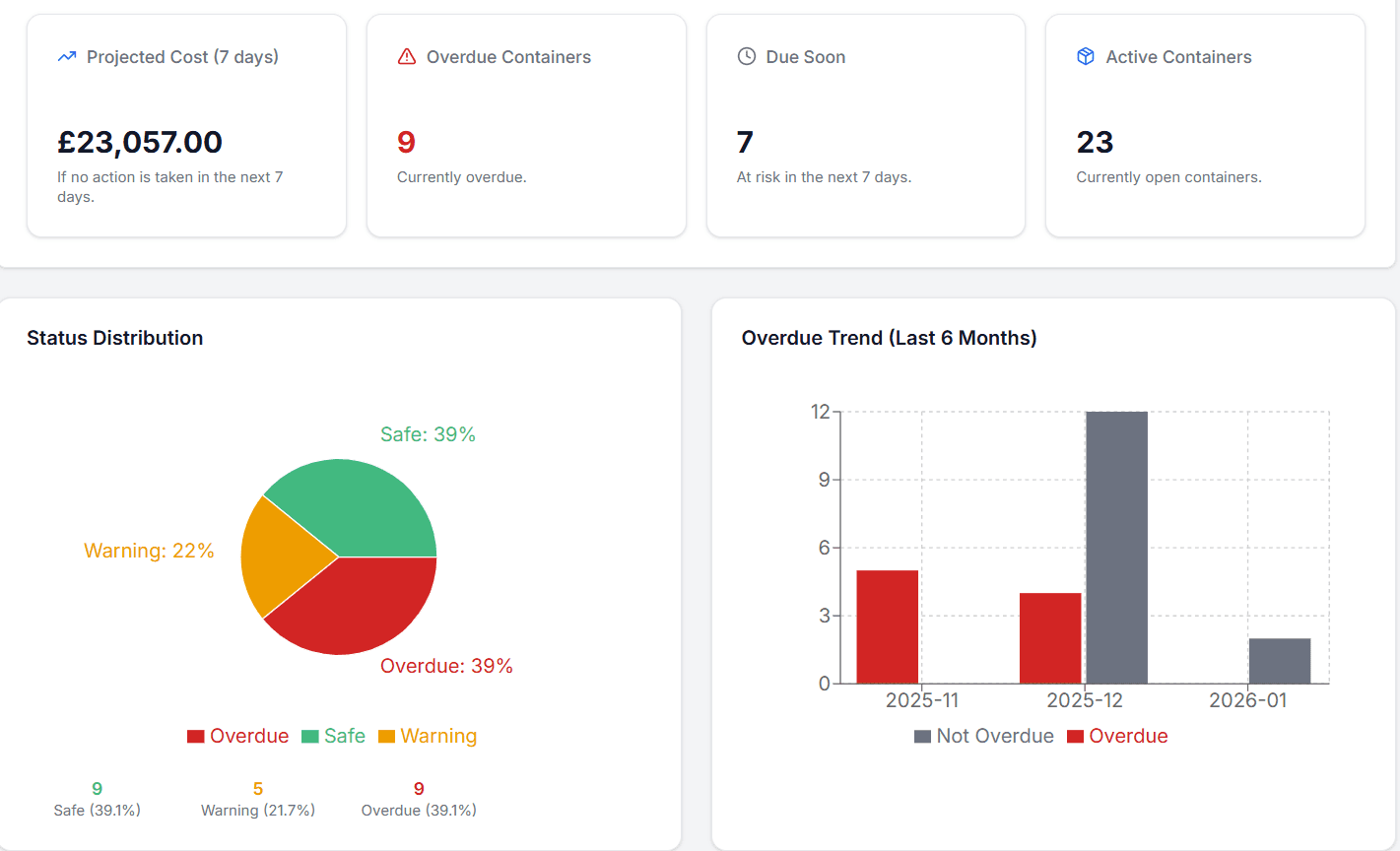
Analytics
Patterns that explain where risk is building.
Track exposure, port performance, and status health before delays turn into avoidable cost.
Replaces
Less chasing. More control.
Keep the operational rhythm your team understands while removing the manual work that creates risk.
Versioned spreadsheets
Manual update emails
Late cost checks
Memory-based ownership
Run tomorrow morning from one live container view.
Login takes the team straight into the software. The public landing page stays separate from the operating workspace.